

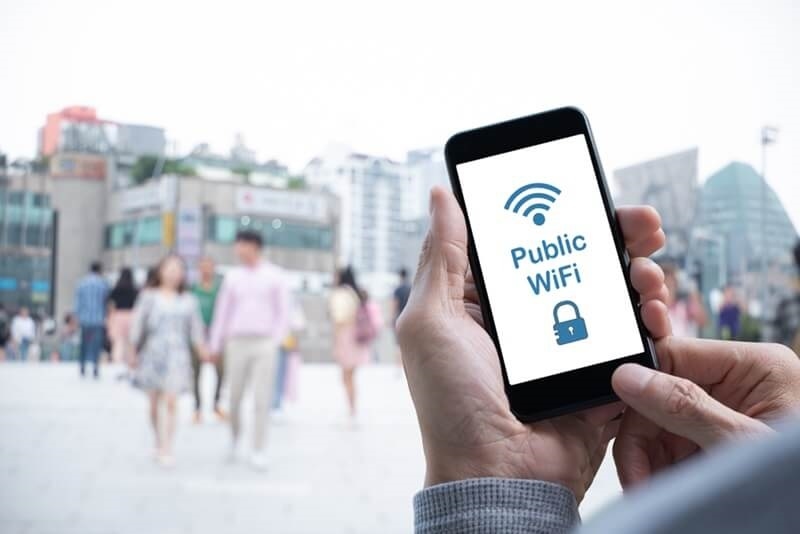
With our world more interlinked today than at any other time in history, public Wi-Fi has been a blessing. From an early morning coffee in a Manhattan café to an email check at a Los Angeles airport or from a remote location in a Chicago library, free Wi-Fi links make online access easy. There is a drawback to convenience, though. Public Wi-Fi links are notoriously unsecured and therefore an irresistible target for cyberattacks and hackers. What public Wi-Fi security entails is safeguarding your personal information, money information, and online activity from damage.
Here’s all about the most common public Wi-Fi risks, public Wi-Fi safety, and easy, secure surfing methods. We shall explain how software like a VPN for public Wi-Fi can secure your connection and enable you to enjoy seamless internet connectivity without compromise.
Public Wi-Fi can seem safe, but it is not as heavily protected by security measures as a private network. When accessing public networks at a coffee shop, hotel, airport, or bookstore, your data can get stolen by internet thieves. Some of the most common threats that public Wi-Fi poses are:
Data Interception – The attackers may intercept what you are sending and receiving via packet sniffing tools. Some of this data are emails, login credentials, and personal data.
Man-in-the-Middle Attacks (MitM) – The attackers insert themselves between your computer and the internet connection. They can listen in or even modify the data you are sending.
Rogue Hotspots – They are imitation Wi-Fi networks created by hackers to pose as official public Wi-Fi. Upon accessing, users unknowingly allow hackers to gain complete access to their device.
Malware Distribution – Open networks are a paradise for malware, and malware can infect your device without your awareness.
Identifying these dangers is the beginning of safe public Wi-Fi. On the other hand, with a little sneaky caution, you can reduce your risk.

Home-working or just internet surfing, these sneaky surfing techniques can help keep you out of trouble:
A public Wi-Fi VPN is one of the greatest safety measures. VPNs encrypt your internet traffic, and hackers can't decipher it. Even if a hacker manages to acquire your data, they will not be able to read it.
When choosing a VPN, look for:
Use a VPN on public Wi-Fi is especially important while accessing sensitive accounts, like work emails, social media sites, and online bank websites.
Coffee shops are hubs for remote workers, students, and part-time browsers. Unfortunately, they are also hubs for cybercriminals. To avoid coffee shop hackers, do the following:
These instructions will keep you relatively safe from public Wi-Fi attacks as you sit back and enjoy your latte.
Always check for the padlock icon on your browser when accessing websites. This means the website is utilizing HTTPS, a secure protocol that encrypts data between the server and your machine.
Even when accessing public Wi-Fi via a VPN, HTTPS is still an added layer of protection. Avoid sharing personal information on sites that are not HTTPS-enabled, especially when conducting transactions or logging into accounts. These are the steps towards secure Wi-Fi online banking.
Two-factor authentication (2FA) adds a level of protection on top of your password. Even when a hacker uses a public network to access your credentials, 2FA can stop them from entering your accounts.
Turn 2FA on:
It is a simple and quick method for boosting public Wi-Fi security and defending yourself against public Wi-Fi threats.
Most devices, particularly laptops, have file sharing turned on by default. On open networks, this will share your files with strangers.
Software updates often include security patches for vulnerabilities that hackers exploit. Whether you’re using a smartphone, tablet, or laptop, keeping your device up-to-date is a key part of public Wi-Fi safety.
Current devices are more protected against attacks like malware injection or MitM, reducing your overall public Wi-Fi risks.
Public networks can never be 100% safe, even when you're using security measures. If you'd prefer to err on the safer side, then don't perform sensitive tasks like:
For any sensitive transactions, use your data plan using Wi-Fi. These steps guarantee secure banking on Wi-Fi and prevent exposure of your personal data to cyber attacks.
Gross passwords are a hacker's fantasy, particularly when used on public networks. Use long, complicated passwords with letters, numbers, and special characters. A password manager may also generate and recall different passwords for each account, as an added safe browsing recommendation.
Secure passwords are accompanied by other public Wi-Fi security measures like VPNs and 2FA.
Having your gadget on public networks when you're not actively connected will leave you vulnerable to prolonged exposure to the risks of public Wi-Fi.
This small habit can reap great rewards in keeping hackers away and your private information secure.
Even if you are safe, it's a good idea to monitor your accounts. Occasional checking will catch suspicious activity early.
Early threat detection diminishes the impact of public Wi-Fi threats and improves your overall public Wi-Fi security.
Public Wi-Fi cyber attacks are mostly phishing emails or scam alerts. Understanding how to spot such scams is an excellent safe browsing tip.
Public Wi-Fi is convenient but there are also public Wi-Fi dangers which expose your personal information at risk. With these public Wi-Fi safety habits—using a VPN on public Wi-Fi, securely doing online banking over Wi-Fi, understanding how to protect yourself from coffee shop hackers, and practicing basic secure browsing habits—you can stay safe without losing convenience.
This content was created by AI