


It is no wonder that in our digital era, from online classes and remote work to smart TVs and other small devices in the house, families rely on the internet more than before. However, the internet, from online classes and remote work to smart TVs and other small devices in the house, is no longer a luxury but a must-have. Yet with so many connected devices in our homes, there has also been an increase in our vulnerabilities.
Hackers, data thieves, and viruses are just a few of the cybercriminals who can use your weak networks to attack you. The setting up of a secure home network is among the first and most vital measures that you need to take to ensure the safety of your family while they are online.
This article presents a few effective steps to achieving a digital environment in which everyone in the household feels safe.
A home network is the link between all your devices, that is to say, computers, laptops, tablets, smartphones, smart speakers, and even home appliances, through your Wi-Fi or wired connection. Without proper protection for the network, hackers may infiltrate your personal files, spy on your activities, or even hijack your gadgets.
Security from threats such as this is guaranteed by a secure home network that employs encryption, the latest updates for devices, and added safeguards, i.e., tools. It builds a technological armor that prevents intruders from accessing your data while you are at the same time enjoying the internet without worrying.
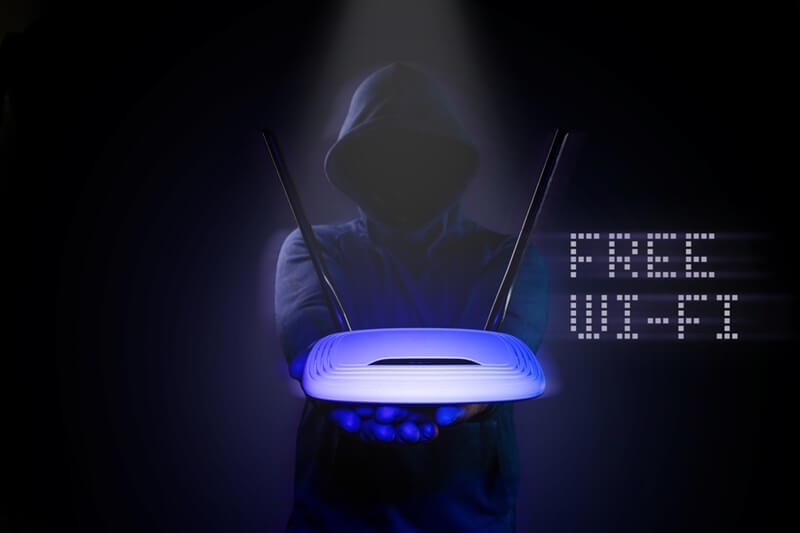
All net traffic passes through your router. A good router with built-in security features will make things a lot easier for you. The features you want to be sure of in the routers are:
A router with such capabilities lays the groundwork for establishing a secure home network.
A firewall is a door between your gadgets and potential threats on the internet. A firewall is installed in most up-to-date routers, but novice users may have to do it themselves.
Suppose your router lacks the firewall feature you consider to be strong; then installing software firewalls on each of your devices is an option. Firewalls provide an additional layer of security that prevents infiltration attempts from reaching your personal data.
Encryption renders the data being transferred between the router and your devices indecipherable to outsiders. Consequently, use of the most secure Wi-Fi encryption is an absolute necessity if privacy is to be maintained in your family's online activities.
Most routers allow you to pick from a few encryption methods. Do not make use of obsolete ones such as WEP, as it is extremely easy to break them. By the way, if any routers offer the possibility of WPA3, you should choose it, although WPA2 is also secure enough. If someone manages to tap into your Wi-Fi, they will not be able to decrypt the data.
Changing the Wi-Fi password becomes one of several other ways of enhancing the security of your connection, which will also include the use of strong and unique passwords.
The number of IoT devices, such as smart speakers, smart cameras, thermostats, and other gadgets connected to the internet, is steadily increasing, and they have already occupied almost every home. However, such devices generally have lower security compared to laptops or smartphones. Hackers might be able to use these devices to get into your network if you have not taken measures to ensure security around them.
Installing these precautions gives you the assurance that your compatible devices will not be the weakest links in an otherwise safe home network.
The children nowadays spend a lot of their time online, for their studies, playing games, and for entertainment. The internet is a resourceful place; however, it is a double-edged sword as kids get exposed to several risks such as inappropriate content, predators, and bullying. Hence, the role of parental controls setup.
Many routers and internet service providers have parental control functions embedded in them. The functions permit you to:
Besides this, there are some third-party applications that give parents even more control. The correct use of parental controls will not only protect your kids from the bad, but it will also grant you some degree of freedom.
After all, whether or not security has been properly set up, you should still maintain surveillance on your network. It is always a good policy to keep security under tight surveillance to nip in the bud any potential damage that could result from the hackers’ incessant plotting. Monitoring allows you to catch intrusions early when they threaten the security of your system.
By regularly checking your home network monitoring tools, you can ensure that only trusted devices are connected and no unusual data is flowing out of your network.
Generally, aside from the use of a firewall, a monitoring system, and encryption, you can choose some additional steps in order to harden your network further:
Although these are relatively small and simple security measures, they can go a long way in keeping your home network protected.
One usual problem is the task of striking a balance between security and convenience. Overly secured networks might limit the users’ access to the extent of making it frustrating for family members to connect their devices or use their favorite apps. The opposite, on the other hand, would be that your family would have freer access, but your network would be exposed to threats.
The best decision you can make is to ensure the most important things are in place, namely, firewalls, encryption, and monitoring, plus the rest of your settings specifically related to parental controls and device restrictions, depending on your family. The upshot is safety and convenience at the same time.
Securing your home network is more than just keeping your computer safe; it's about keeping your whole family safe online. In today's world of many connected devices over Wi-Fi networks, it only takes one weak link to put all of your personal information at risk.
By educating yourself on home firewall setup, choosing the best Wi-Fi encryption, securing your smart devices, putting parental controls in place, and using home network monitoring solutions, you make it significantly harder for hackers to violate your privacy.
This content was created by AI